Board #19: # of Fires in the Amazon – Power BI

Hello!

On this post we’ll see a more “minimalistic” board portraiting the number of fires in the Amazon Rainforest. This is not original from me, but a copy of what was made by the Youtube channel Curbal.

The board was made based on some charts (below) posted by twitter used @g_fiske + a dataset from Kaggle + Rose Charts made on Charticulator.

The columns present in the dataset were: Brazilian States, Latitude, Longitude, Years, Monts, Firespots.

Continue lendo “Board #19: # of Fires in the Amazon – Power BI”
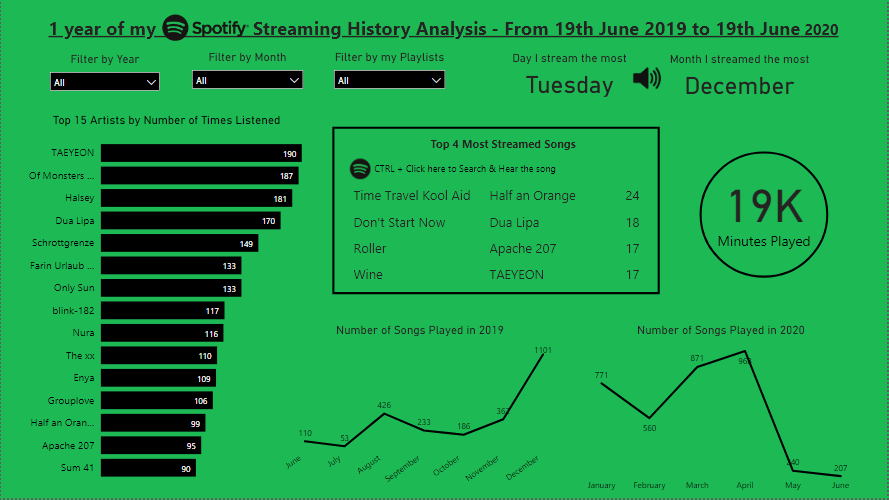
Board #11: 1 year into my Spotify – Power BI

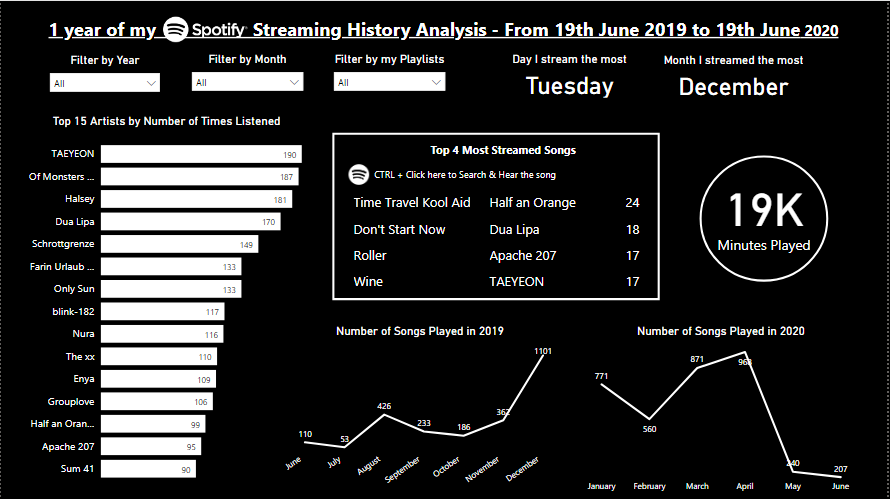
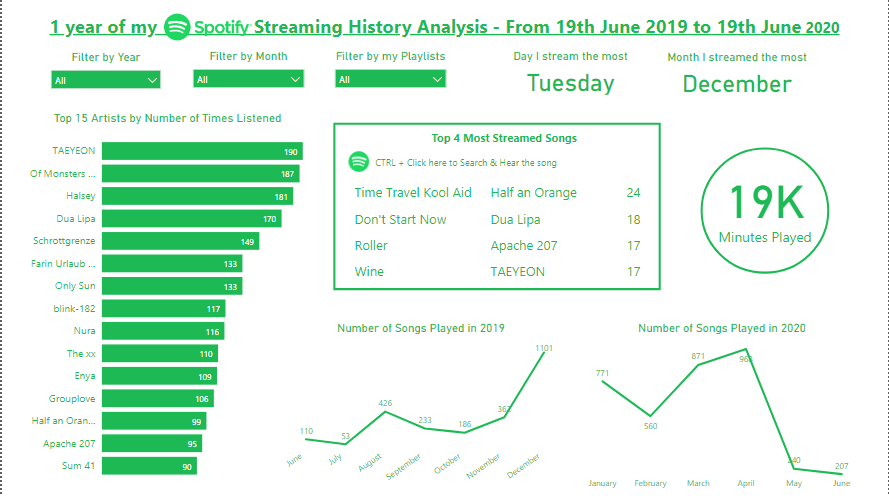
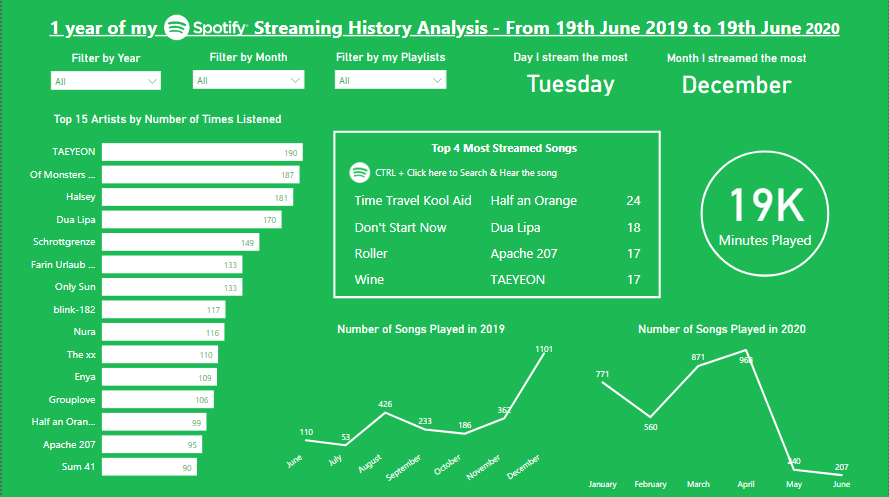
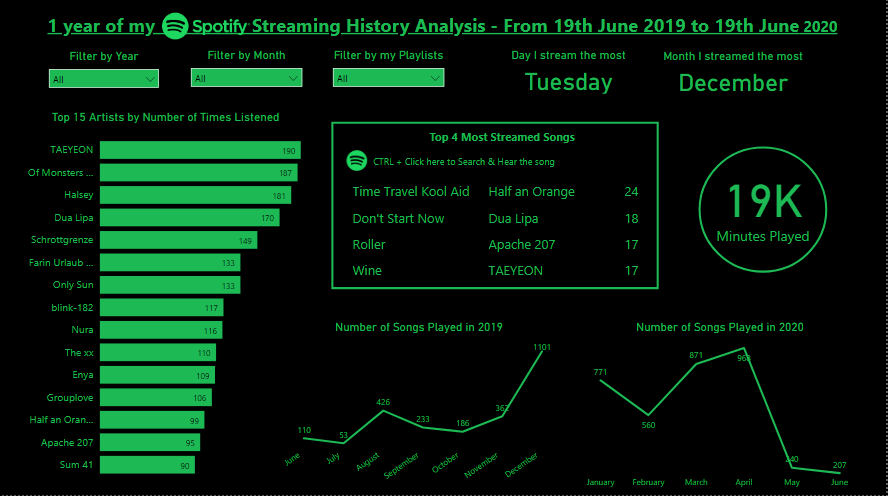
Same board with different color choices

Hello!

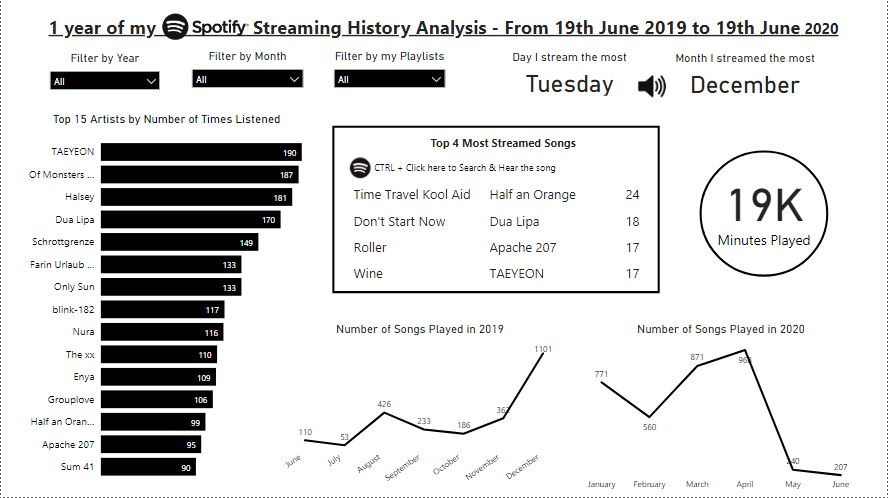
I’m back with a new simple board made on Power BI, this time using my Spotify data (19/06/19 – 19/06/20)!

In case you don’t know, you can request for your data on Spotify’s website, then you receive cool data like: your streaming history, dates, playlists sheet, search queries, followers, payments.

As my activity on Spotify resumes to streaming (no followers, no payments…), I focused on analyzing my artists, songs and habits. Let’s see what I’ve got!

Continue lendo “Board #11: 1 year into my Spotify – Power BI”

Board #9: Overview of r/travel’s 2018 Survey

Hello!

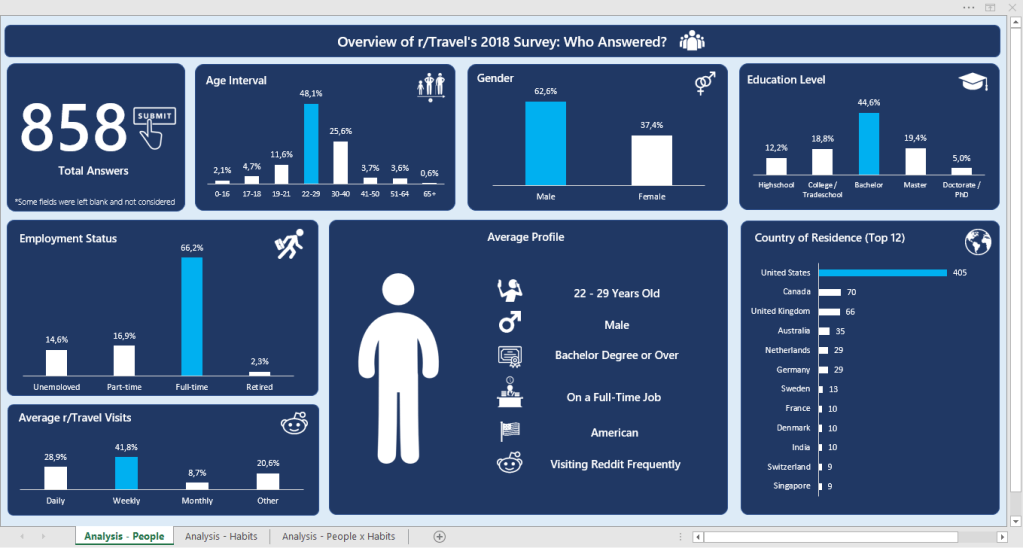
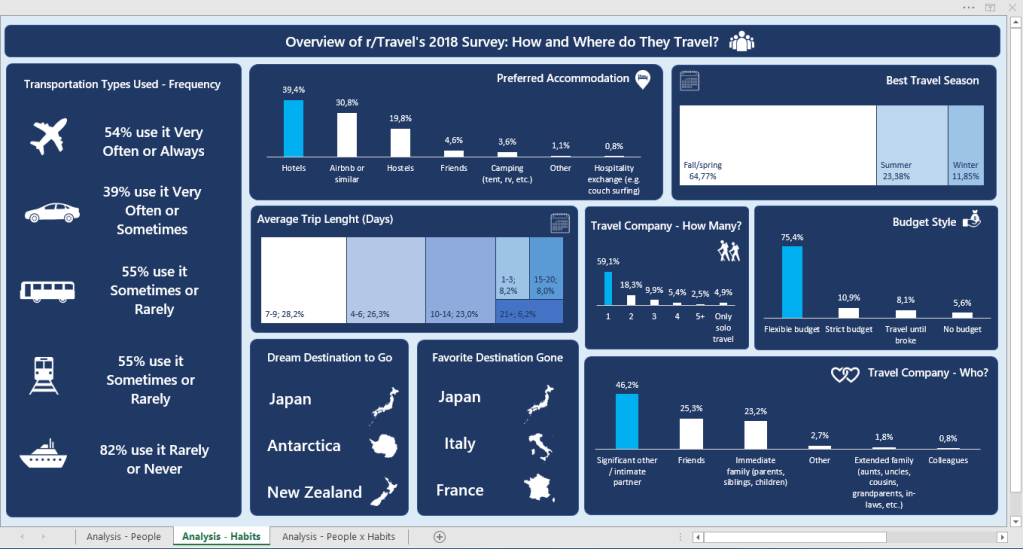
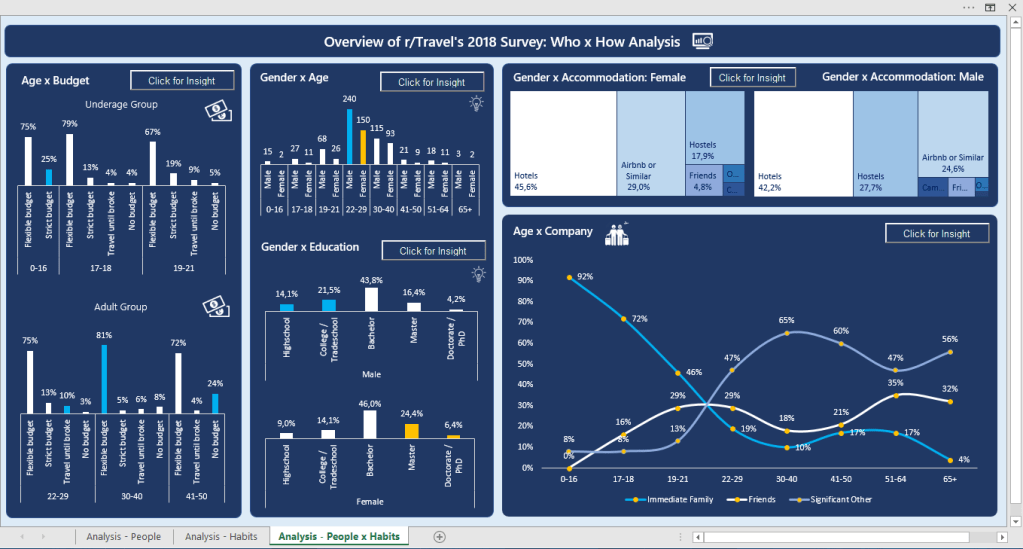
On this post we’re going to check on my favorite work on Excel so far, and also the biggest one (3 boards). This was done some good time after my last board, which was a time when I was focusing on learning other things, and I believe it shows a lot of growth when we compare it to the previous posts. It’s more analytical, which made me proud and excited to learn more. (:

The data for these boards was a formulary (google forms) answered by 858 people who are part of the r/travel subreddit. It contained a lot of columns, so I’d rather leave the link for you to see here.

My idea for the boards was to:

  • 1st: Identify the main persona answering the formulary
  • 2nd: Identify their habits when traveling
  • 3rd: Cross both information to get some deeper insights

Tools Used: MS Excel – Charts, Pivot Tables; VBA (msgbox)

Continue lendo “Board #9: Overview of r/travel’s 2018 Survey”

Board #5: Visualizing Caffeine Presence on Drinks

Hello!

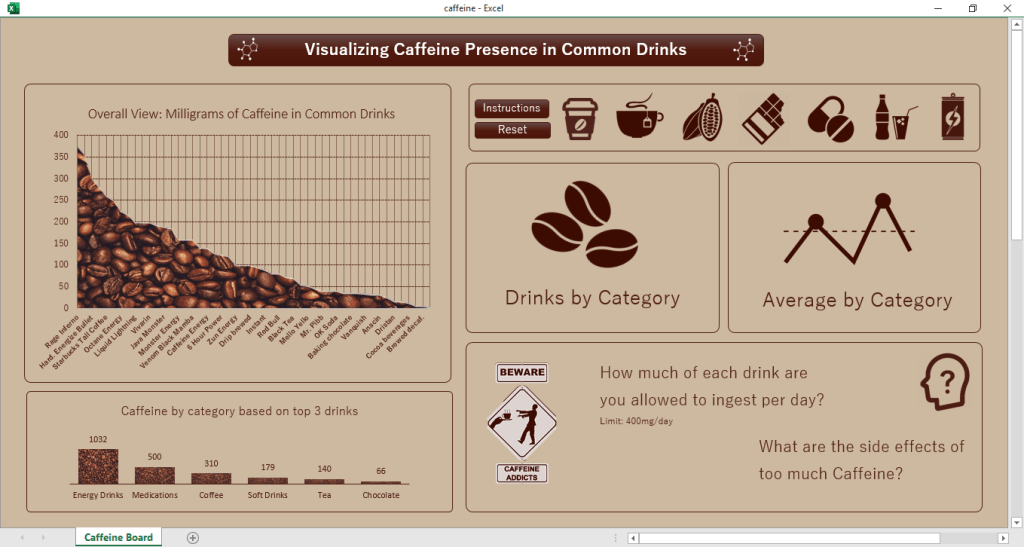
In this post we are going to talk about the presence of Caffeine in certain drinks/substances we take, as well as check the daily limit and the consequences of overdoing it.

The dataset for this came from a challenge on a subreddit (r/dataisbeautiful) and it contains only 3 colums of information, being them:

  • Item (drink, food, medicament, etc)
  • Quantity avaliated
  • Total Caffeine in the quantity
  • Column added by me: Quantity of item until 400mg* of caffeine is reached

*400 mg = Maximum dose of caffeine recommended in 1 day

Tools used: MS Excel – Charts, Pivot Tables, VBA

Continue lendo “Board #5: Visualizing Caffeine Presence on Drinks”